Free Resource
Free Solar Lead Management Excel Sheet Template [2026]
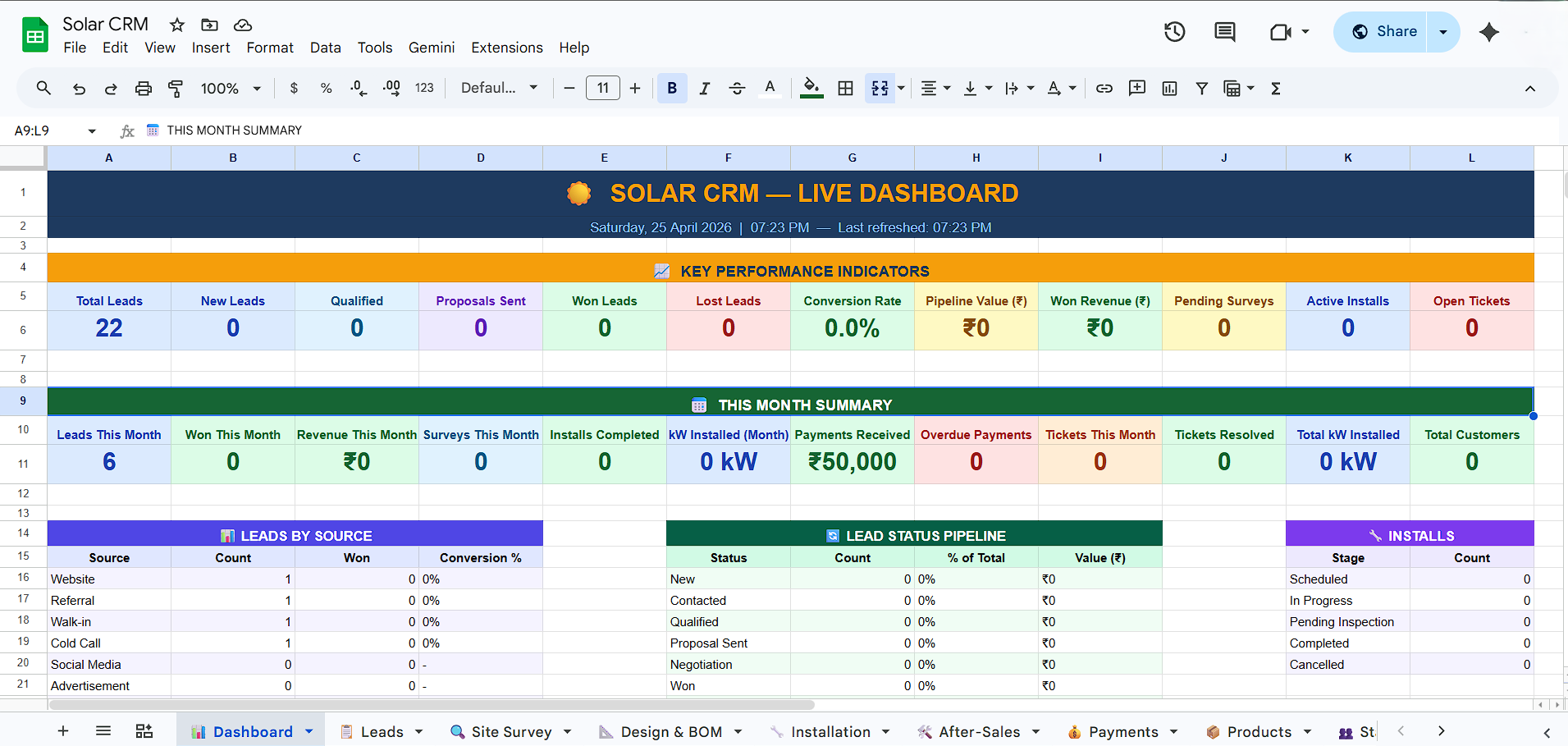
Track every solar lead from first inquiry to signed contract. Complete Solar CRM with Site survey data, pipeline stages, BOM, installation tracking, and an automated dashboard. Free for Excel and Google Sheets.
AS
RK
JD
MS
Instant Setup
No complex onboarding. Just download or copy and start managing your leads immediately.
Track Conversions
Built-in formulas automatically calculate your closing rates and monthly revenue.
100% Free Forever
No hidden costs, no subscriptions. This tool is completely free for you to use and modify.
What's Inside This Solar Lead Tracker
Everything you need to manage a professional solar sales pipeline without the high cost of a dedicated CRM.
Intelligent Automation Integration (Auto-IDs, Automated Dashboards)
10 Integrated Modules (Leads, Survey, Design, Install, After-Sales, etc.)
7-stage solar sales pipeline built for 2026 workflows
Inventory & BOM Management with automated cost calculations
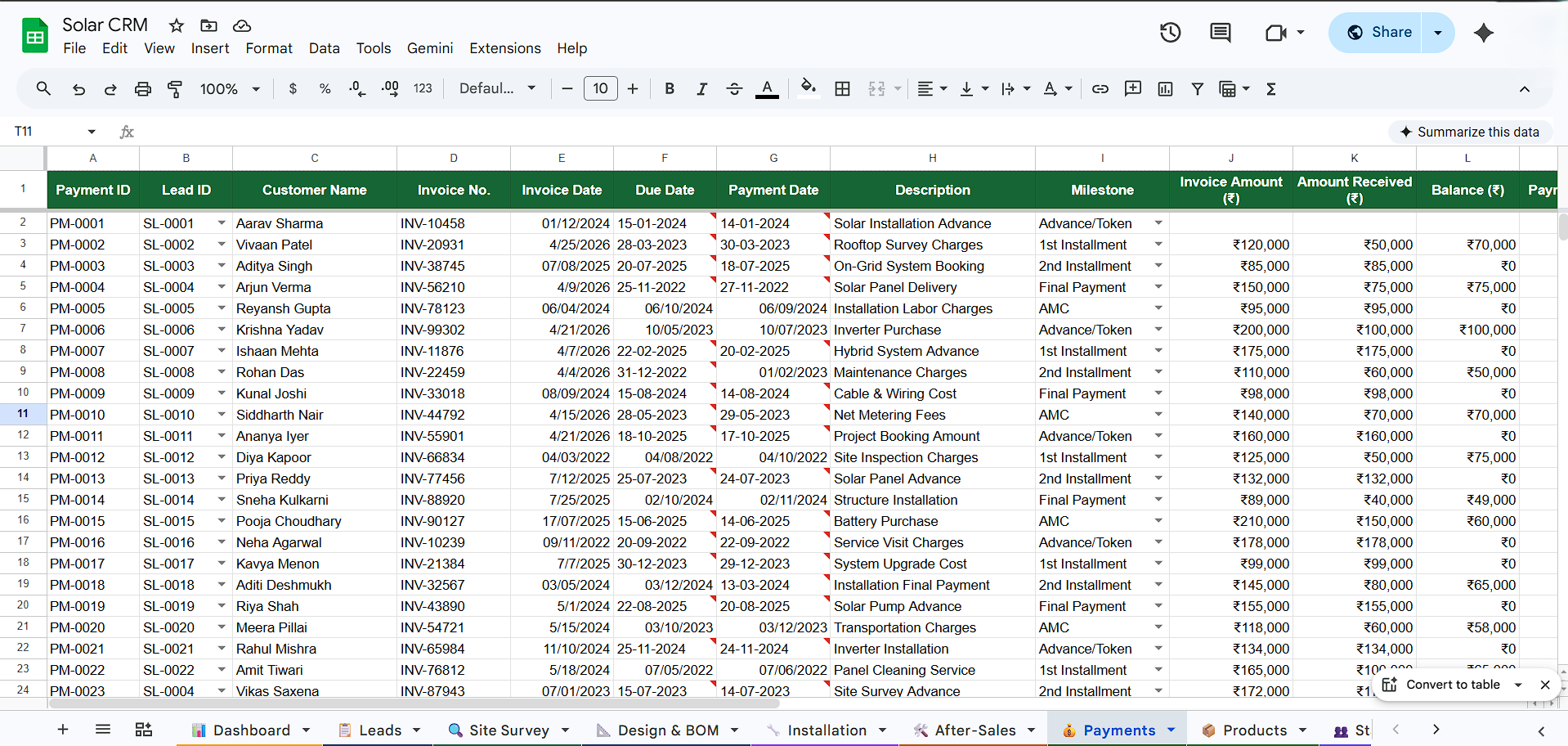
Payment & GST Tracking with milestone alerts
Role-Based Staff Assignment & Region Management
Works in Excel and Google Sheets
100% free — download and customize instantly
Tabs That Cover Your Entire Solar Sales Process
1Automated Dashboard
Live KPI monitoring: Total leads, conversion rates, pipeline value (₹), active installs, and overdue payments. Automatically refreshed via built-in logic.
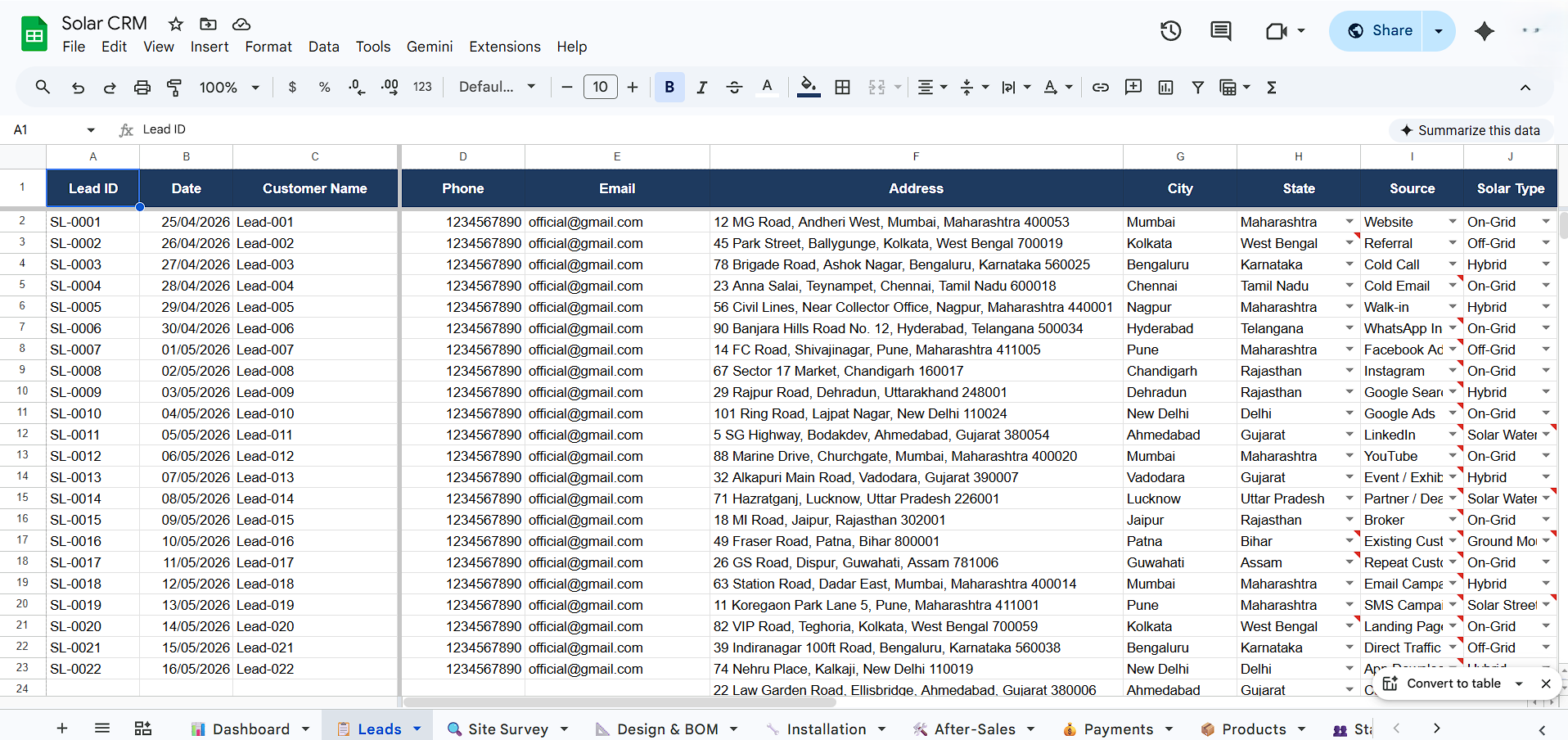
2Lead & Survey Tracker
Capture site details: Roof type, shading issues, phase details, and sanctioned loads. Automatically links surveys to leads via unique IDs (SL-0001).
3Design & BOM (Bill of Materials)
Automated cost calculations for panels, inverters, and labor. Generate project quotes instantly based on pre-configured product pricing.
4Installation & After-Sales
Track progress from scheduling to commissioning. Manage service tickets (Complaints, AMC, Warranty) with automated status tracking.
Built for How Solar Sales Actually Works
Maximum Conversion Pipeline
1
New Lead / Inquiry
Lead entered, uncontacted
2
Contacted / Qualified
First call made, basic qualification done
3
Site Survey Scheduled
Survey booked, technical assessment triggered
4
Proposal Sent
BOM-based commercial + technical offer emailed
5
Negotiation / Follow-Up
Active back-and-forth on price and financing
6
Won (Contract Signed)
Verbal or written commitment received
7
Installation & Handover
Project execution and final commissioning
Built for Solar Teams of All Sizes
Solo solar installers managing 10–30 leads per month
Small solar sales teams (2–10 reps) who share one master sheet
Solar EPC companies needing a robust pipeline before committing to a paid CRM
Installation supervisors tracking field work and material usage
How to Use the Template
Ready in less than 2 minutes
Step 1
Download or copy the template
Choose your platform and get instant access.
Step 2
Authorize Automation
Enable the automated dashboard and ID features.
Step 3
Run the Setup Wizard
Select 'Setup CRM' to build all modules automatically.
Step 4
Configure Your Settings
Update your details in the Settings and Staff tabs.
Step 5
Start Adding Leads
Entry will trigger automated IDs and follow-up alerts.
Why This Template Beats Generic Trackers
| Feature | Generic Lead Sheet | Solar CRM One (2026) |
|---|---|---|
| Advanced Automation | ❌ Manual entry only | ✅ Auto-IDs & Live Dashboards |
| Solar pipeline stages | ❌ Generic sales stages | ✅ 7 solar-specific stages |
| Site survey & BOM | ❌ Not included | ✅ 16 survey fields + Auto-BOM |
| After-Sales / Tickets | ❌ Not included | ✅ Integrated Ticketing System |
| Dashboard with charts | ❌ Static or missing | ✅ Real-time KPI Dashboard |
| GST & Payment Tracking | ❌ Basic | ✅ Milestone-based with GST |
| Free download | ✅ | ✅ |
| Works in Google Sheets | Sometimes | ✅ Always |
Frequently Asked Questions
Download Your Free Template Now
Free. Instant. No credit card required. Works in Excel and Google Sheets.